
Can Claude Watch YouTube Videos?
Why Claude can't watch a YouTube video
Claude reads text, documents and images. It can't play a video, and claude.ai's upload list (as of October 2026) covers documents like PDF and images like PNG or JPEG, not video files. If Claude looks up a YouTube link, the most it can get is the page text, such as the title and description. It doesn't see what's on screen.
Claude is very good at reading images, though. Give it sharp frames of the video and it can read code, slides and settings off the screen.
How to give a YouTube video to claude.ai
- Install FrameCap from the Chrome Web Store (free, no account).
- Open the YouTube video and click the FrameCap button on the page.
- Pick what to capture (pictures and words is the default) and how often (a frame every 1 to 15 seconds).
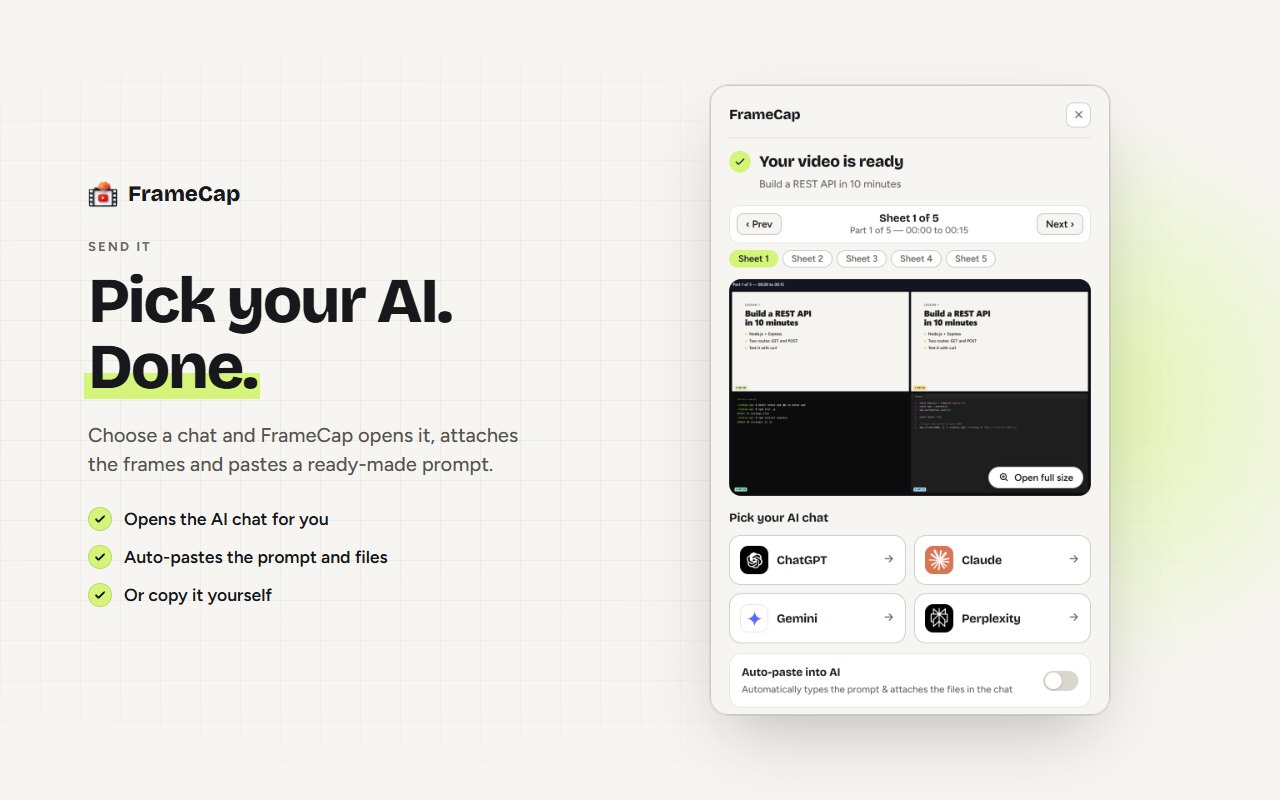
- Click Send to AI and choose your AI. FrameCap opens it with a PDF of the frames, the transcript and a ready prompt.
- Ask your question, for example: "What command is typed at 4:12?"
How to give a YouTube video to Claude Code
Switch FrameCap to AI Agents mode in its settings. Then one click downloads a ZIP with frame grids (1080p or 4K, every frame timestamped), the full transcript and a README that explains the files. Unzip it into your project folder and ask Claude Code to use it. There's a full walkthrough in How to give a YouTube tutorial to Claude Code, Cursor or Codex.
Limits to know
- FrameCap works on YouTube only, for now.
- Videos up to 60 minutes. Live streams aren't supported.
- The transcript needs the video to have captions (auto-generated captions work). FrameCap doesn't do speech-to-text yet.
- Your AI still does the thinking, within its own plan's upload limits.
FAQ
Does this work with the free Claude plan?
Yes. Claude accepts PDFs and images on the free plan. FrameCap sends one PDF of the frames plus the transcript and a ready prompt.
Can Claude Code watch a YouTube video?
Not by itself. Download the video as a FrameCap ZIP (AI Agents mode) and Claude Code can read the frame images and the transcript like any other files in your project.
Does FrameCap send my video to a server?
No. FrameCap captures frames and the transcript inside your browser. Files only leave your computer when you send them to your own AI.